Exploring the Marginal Ability of Large Models: An Experiment with Xiao Xin's Home Image Replacement
gallery.detail.bestUsedFor
gallery.detail.howToCustomize
- gallery.detail.customizeTipModel
- gallery.detail.customizeTipSpecifics
- gallery.detail.customizeTipIteration
Prompt
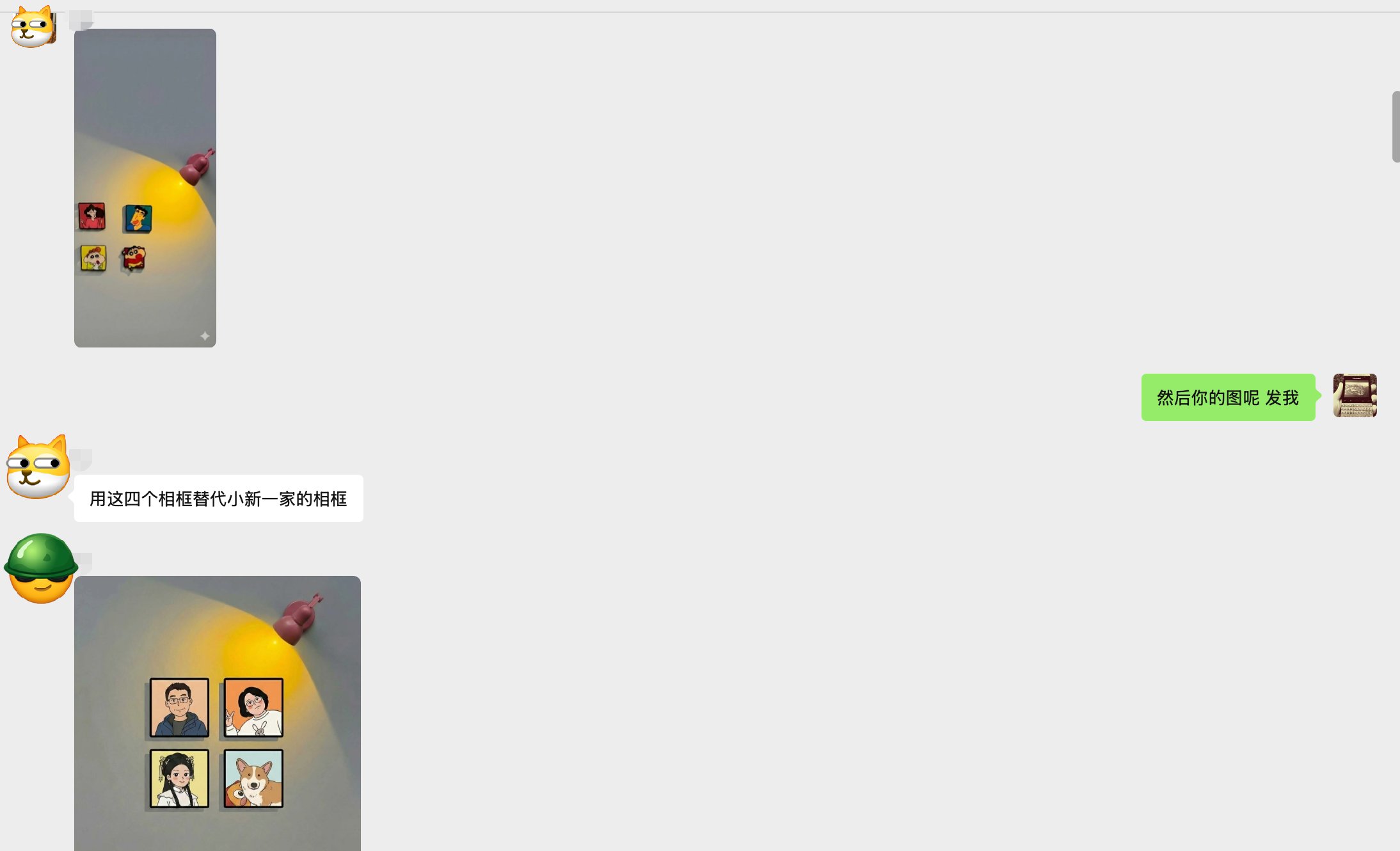
😄Bros! Testing the edge capabilities of large models is really interesting! Tonight I saw an interesting test experiment in the group, let me briefly explain my implementation approach and process. 🤔Origin: Saw group friends discussing a requirement to replace the four figures from Crayon Shin-chan's family with four photos provided by the user. Everyone iterated through many versions but couldn't achieve this requirement, various prompts didn't work. 🧠Thinking: Looking at this image, the core key points are spatial position and multiple character roles. Actually, I've done some similar tests before like changing clothes, changing faces and multiple scenes, basically no major issues unless the characters are very complex. First, we need to solve keeping the key images' positions and proportions unchanged in the picture, and being able to replace them perfectly. Solving these 2 problems can basically achieve it. ✍🏻Execution Steps: ① Send Shin-chan's family image to Gemini, let it remember and mark the corresponding positions. This prompt: Replication expert role, replicate this image especially analyzing the spatial position sense, use coordinate positioning annotation then 1:1 pixel-level replication of the image, replicate all details as completely as possible including position ratios, etc. ②Then the large model will give you the entire canvas and coordinates, light source and detail coordinate positioning, which is positioning for the artwork. (Figure 2) 📺③Key step: Let LLM remember the spatial coordinate position of image 1's frame (Shin-chan) (refer to the content generated in step 2 and paste) (Figure 3) Requirement: Fill the spatially arranged positions of attachment 2 into image 1...