Think AI art is complicated? It's actually way easier than you'd expect.
At AISnapEdit, we're on a mission to turn everyone into an artist. This guide will get you up and running fast, unlocking the full power of Nano Banana Pro.
AISnapEdit is an all-in-one AI creation suite for images, video, and audio—this tutorial focuses on its image workflows.
⚡ Quick Start: Credits & Resolution
Before you dive in, here's what you need to know:
Credit Usage
| Action | Credits Used |
|---|---|
| Generate one image | 2 credits |
| Generate with reference image | 2 credits |
New user perk: Sign up and get free credits to try it out—no credit card required.
Which Resolution Should You Pick?
| Resolution | Best For | Our Take |
|---|---|---|
| 1K | Social media posts, quick previews | Perfect for everyday use, fastest generation |
| 2K | Blog headers, thumbnails | Best bang for your buck |
| 4K | Print posters, commercial use, HD wallpapers | Go big when quality matters most |
💡 Pro tip: Iterate in 1K until you nail the look, then generate your final version in 4K. Saves credits and time!
Aspect Ratio Cheat Sheet
- 1:1 → Profile pics, Instagram posts
- 9:16 → TikTok, Reels, phone wallpapers
- 16:9 → YouTube thumbnails, blog headers
- 21:9 → Cinematic banners, website headers
🪄 The Magic Formula: How to Write the Perfect Prompt
The biggest question beginners have: "What do I even say?"
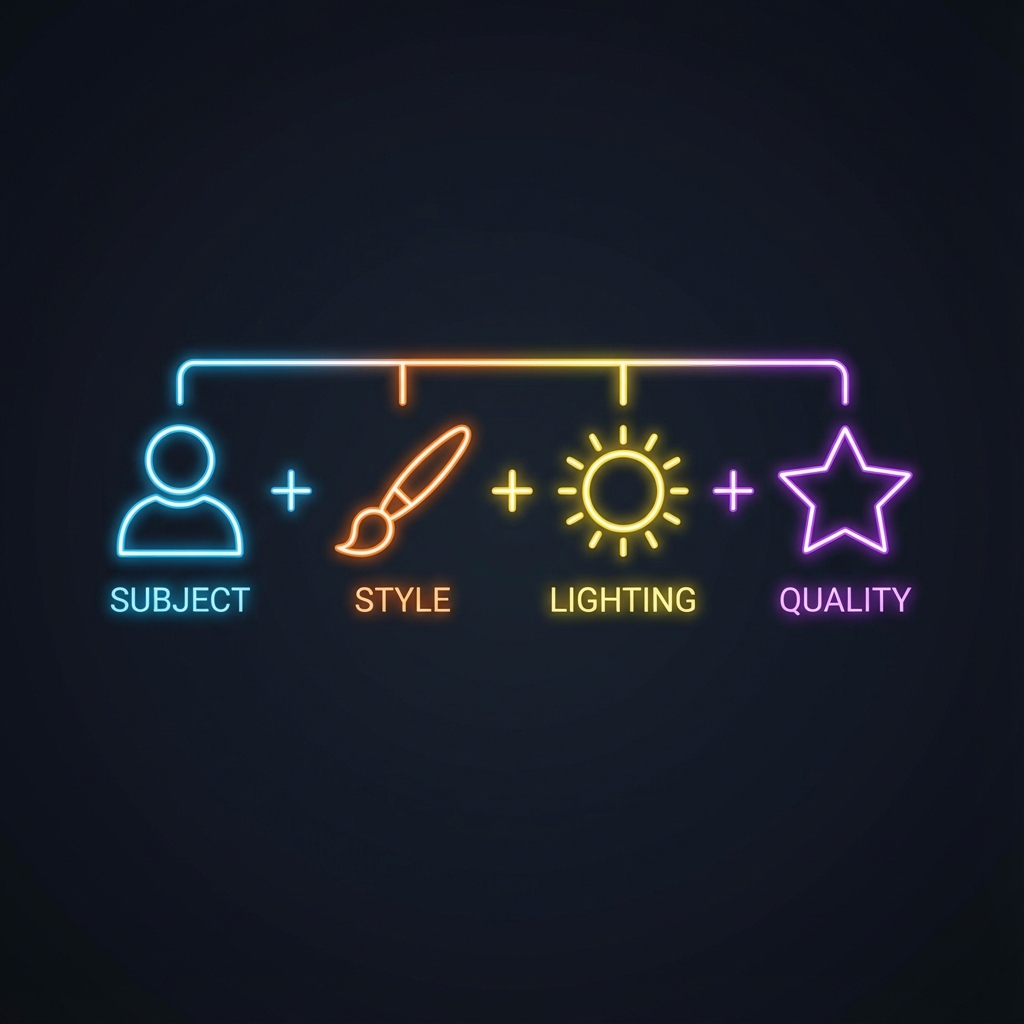
Here's the thing—writing a great prompt is like filling in a template. We've boiled it down to a golden formula that works 90% of the time.
📝 Breaking Down the Formula
- Subject: What do you want to create? The main focus.
- Example: "a cat"
- Style: What artistic approach?
- Example: "oil painting style", "Cyberpunk", "Pixar 3D style"
- Environment/Scene: Where is it? What's around it?
- Example: "sitting on a windowsill", "on a rainy Tokyo street"
- Lighting & Mood: Set the vibe.
- Example: "warm afternoon sunlight", "moody blue tones", "cinematic lighting"
- Quality Modifiers: The finishing touches.
- Example: "ultra HD", "highly detailed", "8K resolution"
Put it together:
"An adorable orange tabby cat (subject), sitting on a sun-drenched windowsill (environment/lighting), impressionist oil painting style (style), delicate brushstrokes, rich colors (quality/modifiers)."
🎨 Style Showcase: Same Prompt, Endless Possibilities
Change just the "style" keyword, and you'll get completely different results from the same prompt.
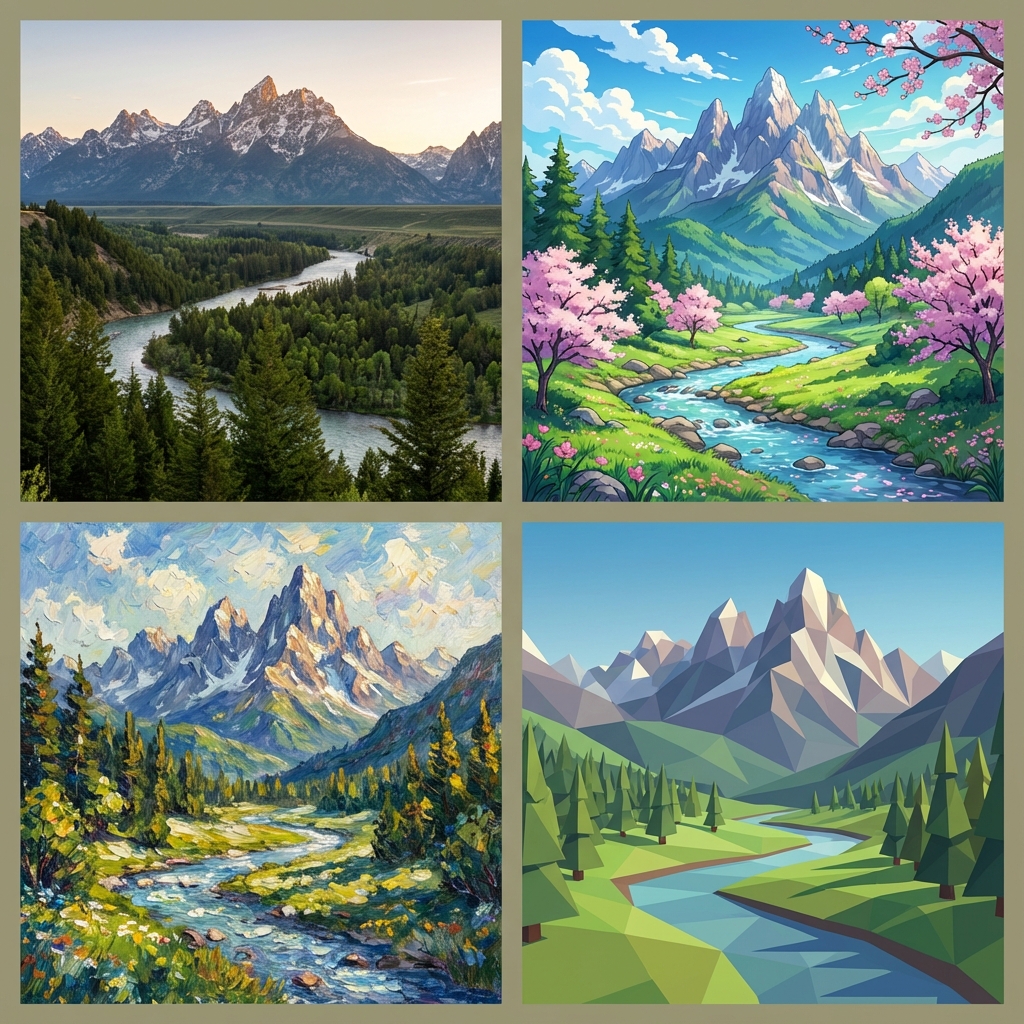
Try adding these keywords to your prompts:
- 📸 Photography:
Photorealistic,DSLR,Shot on 35mm lens,National Geographic - 🎌 Anime/Illustration:
Anime style,Studio Ghibli,Manga,Cel shading - 🎨 Fine Art:
Oil painting,Watercolor,Sketch,Digital art - 🧊 3D Renders:
3D render,Octane render,Unreal Engine 5,Low poly
🚀 Level Up: Advanced Techniques
1. Use Reference Images (Image-to-Image)
Can't quite describe the composition you want? Just upload a sketch or reference photo. The AI will pick up on the structure and color palette—way more effective than typing hundreds of words.
Reference Image Tips:
- Upload up to 14 reference images
- Works with sketches, photos, or other AI-generated images
- Influences: composition, color palette, style, character features
- Combine with text for best results:
"Use this image's composition, but make it a night scene"
2. Don't Hold Back on Details
AI loves specifics. Instead of "a tree," try "an ancient, twisted oak tree with bark covered in glowing moss."
3. Leverage Nano Banana Pro's Text Ability
Need to add a title to your poster? Just include it in your prompt: text "SUMMER SALE". Make sure to wrap the text in quotes.
🛠️ FAQ
Q: Can I use generated images commercially?
A: Yes! You own the commercial rights to your images (see our Terms of Service for details).
Q: Why do faces sometimes look weird?
A: This usually happens when people are very small in the frame (distant shots). Try adding closeup or detailed face to your prompt.
Q: What if I run out of credits?
A: We offer flexible pay-as-you-go credit packs—no subscription required. Check out our Pricing page for details.
Q: Do the images have watermarks?
A: No visible watermarks. However, all AI-generated images include Google's invisible SynthID watermark to identify AI-generated content—completely undetectable to the human eye.
Q: Can I edit an image after it's generated?
A: Absolutely! Use the multi-turn conversation feature to keep refining. Just say things like "make the background blue" or "make the person smile more."
Q: How long does generation take?
A: Usually 10-30 seconds. 4K takes a bit longer; 1K is the fastest.
If you also create video or audio, you can do that in the same AISnapEdit workspace.
Ready to give it a shot?
You've got the essentials down. Now go turn the images in your head into reality!